Bible Gateway
- 2.7
- Rating
- 1.00M
- Installs
- Free
- Price

 Analysis by App-foxy
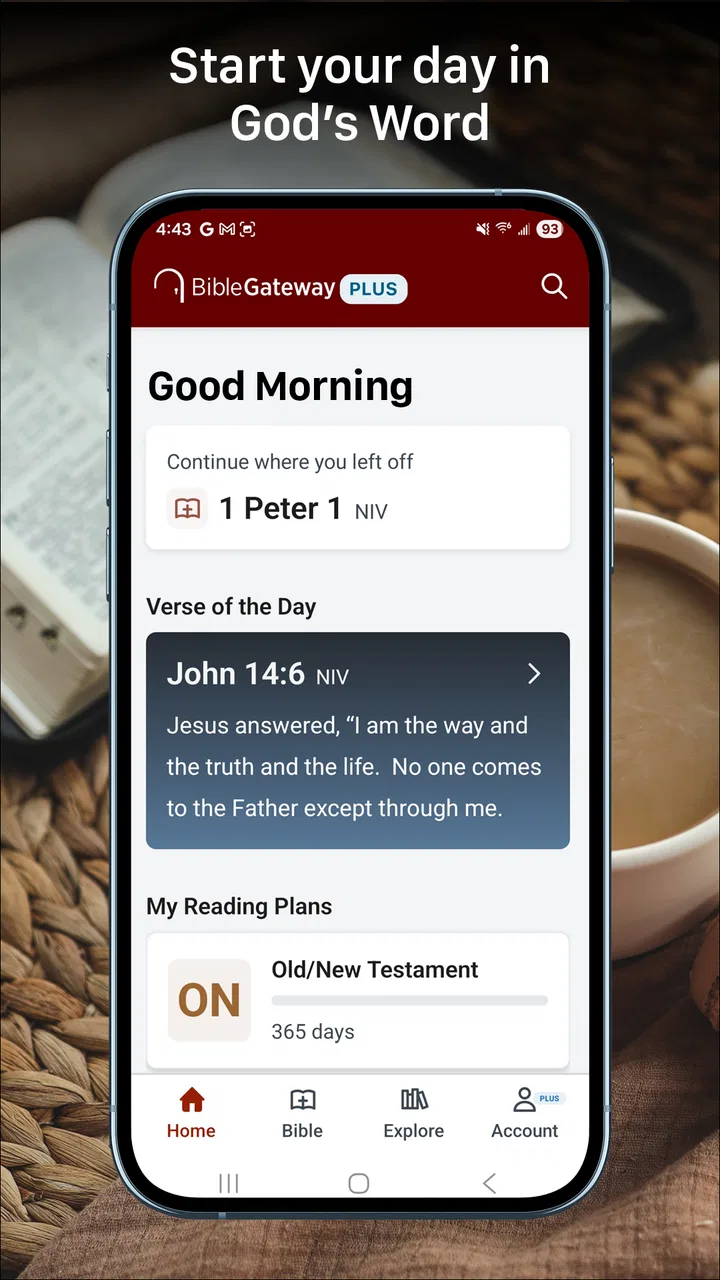
I came to Bible Gateway expecting a straightforward digital Bible, but the app is better understood as a reading, listening, and study companion in the Books & Reference category. It is free to install, aimed at users aged 10 and over, and developed by HarperCollins Christian Publishing. The main appeal is convenience: instead of carrying a printed Bible, switching between separate audio and reference tools, or searching through a mobile browser, I can keep those activities in one place.
My first impression was mixed. The app has the kind of broad purpose many people want, especially if they move between quiet reading, listening during a commute, and looking up a passage for a group discussion. At the same time, it does not feel like a minimalist reader built around one perfectly streamlined task. There is more to understand, and the experience can feel less immediate when I only want to open a familiar passage quickly.
The audience size suggests that Bible Gateway is an established choice: it has more than a million installs, with an average rating of 2.7 from around forty thousand ratings and about thirteen thousand written reviews. I would not treat that rating as a final verdict, but I would take it as a useful warning to approach the app for its specific strengths rather than assuming it will suit everyone.
You May Also Like

 Blood Strike: 2.5 Anniversary
Blood Strike’s Loadouts Turn Every Drop Into a Tactical Gamble
A close look at Blood Strike’s custom loadouts: how fast access to signature weapons reshapes its battle royale rhythm, rewards preparation, and narrows the gap between fights.

 Pandora - Music & Podcasts
Pandora’s Music Is Easy to Start, but Harder to Recover
Pandora’s strength is its low-effort path from a seed to a station. Its weak spot is how much confidence it asks you to place in connection, setup, and quiet recovery.

 8 Ball Pool
 Is Built on Rivalries, Rematches, and Routine
A close look at the rivalries, rematches, shared routines, and unanswered safety questions that turn a quick pool match into a persistent mobile community.

 Samsung Music
’s Quiet Strength Is Playing What You Already Own
Its reach comes less from spectacle than from dependable access to a personal library. That simplicity is both the app’s strongest retention engine and its ceiling.

 AccuWeather: Weather Radar
AccuWeather Review: A Quick, Clear Forecast for Everyday Decisions
For everyday plans, the best forecast is the one you can understand quickly. AccuWeather makes rain timing, radar, and local conditions easy to act on, with a few trade-offs.

 Hill Climb Racing
Why Hill Climb Racing Still Turns Crashes Into One More Run
A tiny car, a bumpy hill and one more upgrade: Hill Climb Racing keeps resurfacing because its simple chaos makes every near-miss feel personal.
More From Our News Desk



Getting from installation to a useful first session
I’d use this section to make the first visit feel purposeful rather than turning it into a tour of every control. Starting with a passage you already recognize gives you a simple way to judge navigation and reading comfort; once that feels settled, the next section looks at what the app is really for.
What the app is really for
The most useful way to think about this app is as a flexible Bible study shelf. I can use it for a short daily reading, a longer listening session, or a focused search when I remember only part of a verse. Those are different needs, and the app tries to bring them together rather than forcing me into one reading style.
That flexibility matters in ordinary life. I might read a passage at breakfast, listen while doing household work, and later return to the same material when preparing for a church discussion. A printed Bible remains excellent for distraction-free reading and physical annotation, while a mobile browser may be faster for a single search if I already know exactly what I need. Bible Gateway becomes more valuable when I expect to return, compare, listen, and study repeatedly.
I also appreciate that the app is not restricted to experienced Bible readers. Someone who is unsure where to begin can use a search-led approach instead of trying to understand the entire structure first. A new reader may start with a familiar topic or passage, then gradually learn how books, chapters, and verses fit together. That feels less intimidating than opening a large reference work without any direction.
What to do after installing it
On first launch, I recommend resisting the urge to explore every visible option. Begin with one clear goal: find a passage, read a short section, or try listening. This prevents the first session from becoming a tour of menus rather than an actual encounter with the text.
For a first reading, I would search by a recognizable book and chapter if I know them. If I only remember a phrase, I would use the search function and check the surrounding verses rather than stopping at the first matching line. That small habit is important because a search result can answer a narrow question while the surrounding context changes how the passage reads.
The app supports a useful workflow for people who do not always study in the same way. I can begin with reading, switch to listening when my attention or circumstances change, and return to the text later. I would not assume that every mode behaves identically, so I would spend a few minutes learning where the reading controls and audio controls sit before relying on them during a busy moment.
My recommended first successful action
The first meaningful success should be deliberately small. I would choose a passage I already know, open it, read several paragraphs, and then try the listening option for the same section. Familiar material makes it easier to judge whether the navigation feels natural because I am not simultaneously trying to understand an unfamiliar text.
After that, I would repeat the process with a passage I have been meaning to study. Search for it, read beyond the exact result, and make a mental note of how quickly I can return to the location. This tests the parts of the app that matter more than a polished first screen: finding something, understanding its context, and resuming without frustration.
One practical tip is to use the app at the moment you genuinely expect to use it. If your goal is listening while walking, test the audio before leaving home. If your goal is a quiet morning reading, try the display in the lighting where you normally read. A workflow that feels fine at a desk may feel awkward when you are holding a phone with one hand or dividing your attention.
Where beginners may hesitate
The biggest early confusion is likely to come from the difference between accessing the Bible and exploring optional study material. The basic app is free, but in-app purchases range from $3.99 to $58.99 per item. I would therefore treat any purchase prompt as a separate decision, not as something required to discover whether the core reading experience works for me.
That distinction is especially important for a first-time user. I would spend time with the free experience before paying for anything, and I would only consider an optional purchase if it solves a specific need, such as a preferred study resource or a deeper reference workflow. Paying simply because a screen presents an upgrade is not a good reason.
Another possible source of friction is choosing among versions or study options. Readers often have strong preferences about wording, presentation, and explanatory material. Rather than changing several settings at once, I would alter one choice, read a familiar passage, and decide whether it genuinely improves comprehension. Familiar text is the best test because small differences become obvious.
How I would use it during a normal week
For a realistic routine, I would create three separate habits. First, I would use short reading sessions when I have a few quiet minutes. Second, I would reserve listening for tasks that do not require visual attention. Third, I would use search and surrounding context when a question comes up, instead of browsing aimlessly.
This division keeps the app from becoming an undirected content drawer. A person preparing a small-group discussion could search a passage, read the complete section, listen to it once for a different sense of rhythm, and then return to the text with a question in mind. Someone who is simply trying to build a reading habit could ignore the deeper tools and use only the passage navigation.
My less obvious tip is to use search as a way to build a personal trail of related passages, not just as a replacement for knowing references. If a theme keeps appearing in your notes or conversations, searching a meaningful word can reveal where that idea occurs elsewhere. The trade-off is that keyword searches can be too narrow, so I would always read enough surrounding material to avoid treating an isolated result as the whole message.
Where it compares with familiar alternatives
Compared with a printed Bible, Bible Gateway wins on portability, searching, and the ability to move between reading and listening. It loses some of the calm physical separation that paper provides. A phone brings notifications, battery concerns, and the temptation to leave the app, so people who want a completely screen-free devotional routine may prefer print.
Compared with a general mobile browser, the dedicated app should feel more purposeful when Bible reading is a recurring activity. A browser is convenient for a one-off lookup, but an app gives the task its own space and makes repeated use more natural. The trade-off is that an app can introduce its own navigation and purchase surfaces, so it is not automatically simpler for every quick question.
Compared with a specialized study tool, Bible Gateway feels more approachable for broad reading and listening. A dedicated scholarly resource may be better for detailed original-language work, extensive cross-referencing, or a highly structured research project. I would choose this app for accessible everyday study, not as my only tool for advanced academic analysis.
Who will get the most from it
I think it is a good fit for readers who want one mobile place for Bible reading, audio access, and passage discovery. It is particularly practical for people whose schedules change: a commuter who listens, a parent who reads in short intervals, or a church member who needs to locate a passage during a conversation.
It can also help someone returning to regular reading after a long break. The search-first approach lowers the pressure to remember the structure of the Bible, while the listening option offers another way into a passage when sustained reading is difficult. I would still encourage a beginner to choose a simple routine rather than trying to use every study possibility immediately.
I would be more cautious about recommending it to someone who dislikes reading on a phone, wants a completely distraction-free environment, or expects a consistently effortless interface. The average rating indicates that the experience has not worked equally well for everyone, and my own view is that the app rewards patience during the first sessions.
Device and version considerations
The current version is 200.0.77, and the app requires Android 7.0 or later. That makes checking the phone’s operating system a sensible first step before planning to use it on an older device. On a compatible phone, I would still test the exact tasks I need most: opening a passage, starting audio, and returning to a previous location.
The release history reaches back to August 8, 2012, which helps explain why the app feels like an established service rather than a narrowly designed new reader. Longevity can be reassuring because the product has had time to grow around different reading habits, but growth can also create a less focused experience. I see both sides in Bible Gateway: it covers several useful activities, yet the path between them is not always as clean as I would like.
Small habits that improve the experience
I would keep the first few sessions intentionally consistent. Use the same starting point, test one reading or listening action, and notice where you naturally expect controls to be. This makes it easier to distinguish a genuine limitation from simple unfamiliarity.
When searching, I would avoid judging a passage from a single line. Open the broader section, read the material around the match, and only then decide whether it answers the question. This is one of the strongest ways to turn the app from a quotation finder into a study aid.
For listening, I would choose a quiet setup before pressing play and avoid treating it as a background soundtrack when the passage requires concentration. Audio is convenient, but convenience can encourage passive use. Pausing to reread an important section gives the listening feature more value than letting it run unnoticed.
I would also separate discovery from commitment. Explore the free reading and listening experience first. If an in-app purchase later appears useful, decide based on a concrete study need and the stated item price rather than assuming every paid option belongs in a regular routine.
My final recommendation
Bible Gateway is a capable choice for people who want Bible reading, listening, and searching together on a phone. I like its usefulness across different situations more than I like its overall smoothness. The app can support a meaningful routine, but it asks me to learn its flow and make deliberate choices instead of delivering a perfectly quiet reading environment from the first tap.
For a first-time user, my advice is simple: install it, choose one familiar passage, read beyond the search result, and try listening to that same section. If that short process feels helpful, the app is worth keeping for broader study. If you mainly want paper-like focus or advanced academic tools, a printed Bible or a more specialized reference app may be a better match.
At no cost to start, it is reasonable to explore, especially for anyone who wants flexible access during ordinary routines. I would just keep expectations realistic, treat optional purchases carefully, and judge the app by the specific way I plan to use it. Its real strength is not replacing every Bible resource; it is making several everyday ways of engaging with scripture available in one mobile workspace.
FAQs for Bible Gateway
01What is Bible Gateway, and what can I use it for?
Bible Gateway is a Bible-reading and study platform available through its website and mobile experience. It lets you read Scripture in many translations, compare different versions, search for words or passages, and explore audio Bible content where available. It can be useful for personal devotion, church preparation, Bible study, or quickly checking a verse while traveling. Some tools and content may depend on your location or account type.
02Does Bible Gateway offer multiple Bible translations and languages?
Yes. One of Bible Gateway’s main strengths is its broad selection of Bible translations and editions. You can usually switch between versions while reading a passage, making it easier to compare wording and understand context. Availability varies by translation, language, copyright permissions, and region, so not every version is offered in every country. Some premium translations or study resources may also require a subscription.
03Can I use Bible Gateway without creating an account?
In many cases, you can read and search the Bible without registering, which makes Bible Gateway convenient for users who simply want quick access to Scripture. However, creating an account may unlock additional features such as saving notes, bookmarks, highlights, reading plans, or synchronizing preferences across devices. Certain advanced resources, audio content, and personalized tools may require sign-in or a paid membership.
04Does Bible Gateway work offline on Android or iPhone?
Offline availability depends on the specific Bible Gateway app version, content license, and feature being used. Basic browsing often requires an internet connection, especially when switching translations, loading articles, or accessing online audio. If offline reading or listening is important to you, check the current app description and settings after installation to see whether selected content can be downloaded. Download permissions may differ between free and premium resources.
05Is Bible Gateway free, and are there advertisements or premium features?
Bible Gateway provides free access to many Bible passages and basic reading and search tools, but the service may include advertisements or limitations on selected content. Additional features can include premium study materials, enhanced reading tools, audio resources, and an ad-free experience, depending on the current subscription options. Before downloading or subscribing, review the pricing, renewal terms, and included benefits shown in your app store or account settings.
Pros
- Includes multiple Bible translations in one convenient app.
- Audio Bible options make listening practical while traveling or relaxing.
- Search tools help locate verses
- passages
- and keywords quickly.
- Daily reading plans support consistent Scripture study habits.
- Bookmarks and notes make it easier to save meaningful passages.
Cons
- Some translations or features may require an internet connection.
- The large amount of content can feel overwhelming for new users.
- Audio availability and quality vary between Bible translations.
- Advertising or promotional content may distract from reading.
- Advanced study tools may be limited compared with dedicated Bible apps.

Bible Gateway
Gallery